






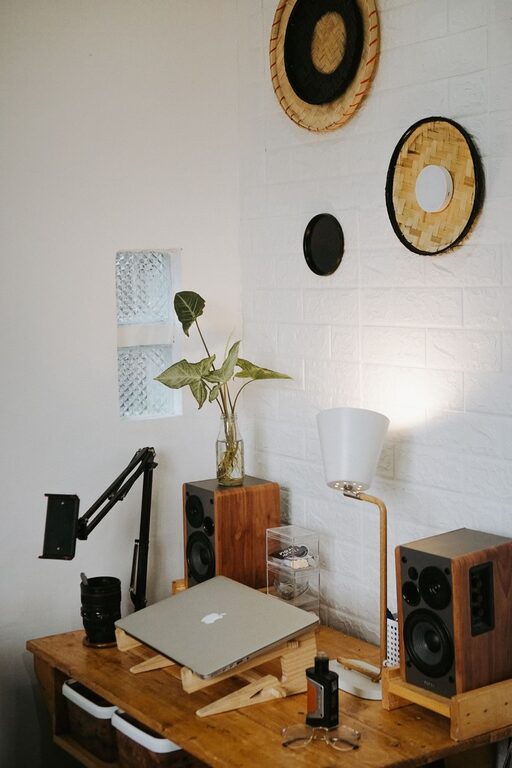
Creating a home workspace that balances comfort and functionality can greatly improve your productivity and overall well-being while working from home. Whether you have a dedicated room or just a small nook, careful planning and thoughtful design allow you to craft an environment that supports focus and creativity. In this post, we’ll explore practical tips to help you create a cozy and functional home workspace tailored to your needs.
Why a Cozy and Functional Workspace Matters
Working from home presents unique challenges, including distractions and the blending of work and personal life. A well-designed workspace sets clear boundaries, promotes comfort, and encourages productivity. When your workspace feels inviting and organized, you’re more likely to enjoy your work and maintain better focus throughout the day.
Choosing the Right Location
Utilize Natural Light
Where possible, position your desk near a window. Natural light improves mood and reduces eye strain. If direct sunlight causes glare on your screen, consider using sheer curtains or blinds to soften the light.
Minimize Distractions
Select a quiet area away from household traffic like the kitchen or living room if possible. This helps reduce noise and interruptions, making it easier to concentrate on your tasks.
Consider Your Space Needs
Evaluate the amount of space you require for your equipment, documents, and movements. Even a small corner with a compact desk can work well if laid out thoughtfully.
Selecting Comfortable and Ergonomic Furniture
Invest in a Quality Chair
An ergonomic chair with adjustable height, lumbar support, and comfortable cushioning can protect your back and encourage good posture over long working hours.
Choose a Suitable Desk
Your desk should be the right height to allow your forearms to rest comfortably while typing. If a full desk is not an option, compact desks or wall-mounted foldable options are great alternatives.
Add a Keyboard Tray or Monitor Stand
To keep screens at eye level and wrists in a neutral position, accessories like keyboard trays and monitor stands improve ergonomics and reduce strain.
Organizing Your Workspace
Declutter Regularly
Keeping your desk tidy prevents distractions and makes it easier to find what you need. Use trays, file holders, or drawer organizers to keep papers and supplies in order.
Use Vertical Storage
Shelves, pegboards, or wall-mounted organizers maximize vertical space, freeing up your desktop and keeping essentials within reach.
Personalize with Purpose
Add a few personal touches like a plant, artwork, or a favorite photo to make your space inviting without overcrowding it.
Enhancing Comfort and Ambiance
Control Lighting
In addition to natural light, use adjustable desk lamps with warm bulbs to reduce eye fatigue. Layer lighting with overhead lights and task lighting for flexibility.
Maintain Good Air Quality
Keep your workspace well-ventilated. Adding a small air purifier or a low-maintenance plant can improve air quality and add a refreshing element.
Manage Noise Levels
If background noise is disruptive, try noise-canceling headphones or a white noise machine, or add soft textiles like a rug or curtains that absorb sound.
Technology Setup for Efficiency
Organize Cables
Use cable clips, sleeves, or boxes to keep cords neat and prevent tangling, maintaining a clean and safe workspace.
Invest in Reliable Equipment
Ensure your computer, printer, and internet setup meet your work requirements to avoid unnecessary interruptions.
Set Up a Charging Station
Designate a spot for charging phones, tablets, and other devices to keep them powered without cluttering your desk.
Maintaining Work-Life Balance
Establish Boundaries
Use a physical divider or a distinct area to signal the start and end of your workday. This helps mentally separate work time from relaxation.
Take Breaks and Move
Incorporate short breaks and stretching exercises into your routine to avoid fatigue and boost productivity.
End Your Day with Organization
Spend a few minutes at the end of each day putting items away and prepping your space for the next day. A clean slate encourages a fresh start.
Final Thoughts
Creating a cozy and functional home workspace is about more than just aesthetics; it’s about designing an environment that supports your workflow and well-being. By thoughtfully selecting your location, investing in comfortable furniture, organizing effectively, and considering your personal comfort needs, you can transform any space into a productive and inviting work area. Start with small changes and adjust as you discover what works best for you. Your home workspace should be a place you look forward to spending time in every day.