

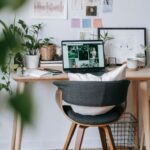


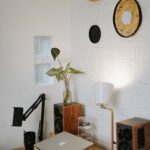

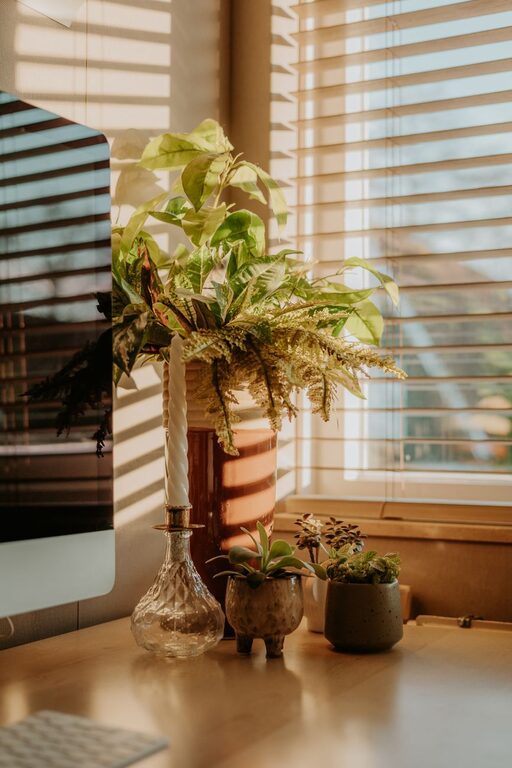
Creating a cozy and functional home office is essential for anyone working or studying from home. A well-designed space can enhance your focus, reduce stress, and make work feel less like a chore. Whether you have a dedicated room or just a small corner, these tips will help you design a home office that balances comfort with productivity.
Choose the Right Location
Consider Natural Light
Natural light has a positive effect on mood and alertness. If possible, set up your office near a window to take advantage of daylight. Position your desk so that the light falls to the side, avoiding glare on your computer screen.
Minimize Distractions
Look for a quiet spot away from household noise and high-traffic areas. If you don’t have a separate room, use room dividers or screens to create a sense of separation.
Invest in Comfortable and Functional Furniture
Ergonomic Chair
Your chair is one of the most important elements of a home office. Choose one that supports your back and encourages good posture. Look for adjustable height and lumbar support to reduce strain during long hours.
Spacious Desk
A desk that fits your needs will improve productivity. Consider how much space you need for your computer, paperwork, and other tools. If space is limited, a wall-mounted or foldable desk can be a great solution.
Organize with Purpose
Declutter Regularly
A tidy workspace helps you focus. Keep only essential items on your desk and organize the rest in drawers or containers. Regularly declutter to avoid buildup.
Use Storage Solutions
Shelves, filing cabinets, and desk organizers keep your office neat and efficient. Label containers to easily find what you need without distractions.
Personalize Your Space
Add Cozy Elements
Incorporate soft textiles like a throw blanket or a cushion to make your space feel inviting. A small rug can also add warmth and comfort underfoot.
Bring in Plants
Indoor plants improve air quality and add a touch of nature. Choose low-maintenance varieties like succulents or pothos for easy care.
Display Inspiring Art
Decorate your walls with prints or photos that motivate you. Inspirational quotes, calming landscapes, or abstract art can elevate the mood of your workspace.
Optimize Lighting
Combine Task and Ambient Lighting
Good lighting reduces eye strain and creates a welcoming atmosphere. Use a mix of overhead lighting and task lighting, such as a desk lamp with adjustable brightness.
Choose Warm Light Bulbs
Warm light is easier on the eyes and makes the room feel cozy. Avoid harsh, cool-toned lights that can feel clinical.
Enhance Technology Setup
Arrange Cables Neatly
Use cable organizers, clips, or sleeves to keep cords untangled and out of sight. This reduces clutter and the risk of accidents.
Invest in Essential Accessories
Consider accessories like a wireless keyboard, ergonomic mouse, or second monitor to improve comfort and efficiency.
Set Boundaries and Routines
Create Work Hours
Establish clear work hours to separate professional time from personal life. This helps maintain balance and reduces burnout.
Use Visual Cues
If your office is part of a shared space, use signs or closed doors to signal when you need quiet or focus time.
Maintain Air Quality and Comfort
Ventilate Regularly
Open windows or use an air purifier to keep the air fresh and reduce stuffiness.
Control Temperature
Ensure your workspace is neither too hot nor too cold. Small fans or heaters can help adjust the temperature as needed.
—
Creating a home office that blends comfort and functionality is achievable with thoughtful planning and simple changes. By focusing on location, furniture, organization, and personal touches, you can set up a space that supports your productivity and makes working from home enjoyable. Start with a few of these tips today and watch your workspace transform into a place you look forward to spending time in.